7 Ways Attendance Management Software Reduces Payroll Errors
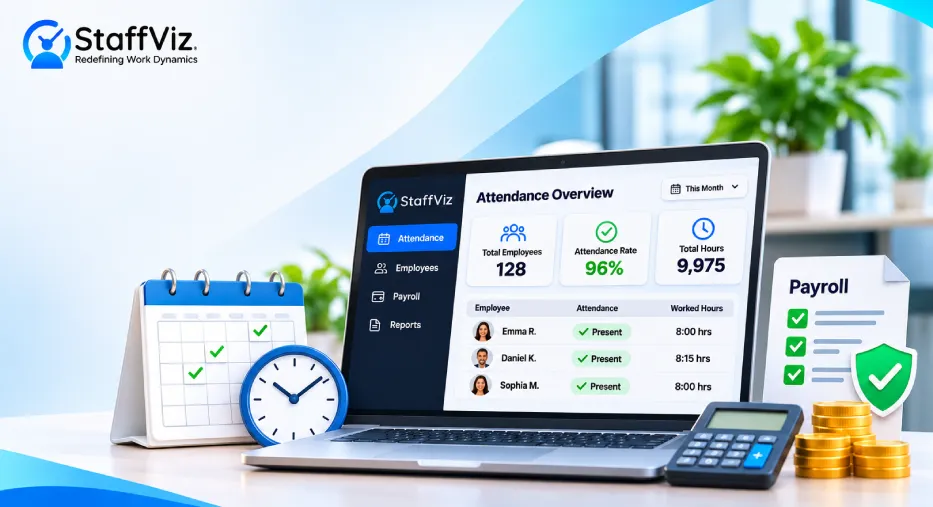
Attendance Management Software helps reduce payroll errors. It records working hours, flags missing punches, and tracks changes to time records. This gives payroll teams more accurate hours to review before each pay runs.
Many payroll errors start before payroll is even prepared. They begin with missing hours, wrong entries, or time records that no one checks. This guide explains seven ways attendance management software can help prevent these problems. It also covers the features to look for when choosing a tool.
Why Manual Attendance Tracking Leads to Payroll Errors
Payroll depends on accurate time records. When teams track attendance by hand, mistakes can happen at several stages. These errors can also be hard to find later.
For US employers, accurate records are also a legal requirement. The Fair Labor Standards Act (FLSA) requires covered employers to record the hours worked by non-exempt employees. The US Department of Labor allows different timekeeping methods. However, the records must be complete and accurate.
Rules may differ by state or country. Check the laws that apply to your business.
Manual Timesheet Entries and Spreadsheet Errors
Paper timesheets and spreadsheets rely on manual data entry. Employees and managers must enter the right hours in the right fields. This can lead to:
-
Wrong working hours
-
Duplicate entries from different sources
-
Formula errors in spreadsheets
-
Mistakes when copying hours into payroll
One mistake may seem small. But these errors can add across a team. HR then spends more time checking records and fixing payroll issues.
Missed Punches and Inaccurate Attendance Records
Employees may forget to clock in or clock out. This leaves gaps in their time records. HR then must check when the employee starts or finishes work.
Shift changes can cause more problems. For example, an employee may swap shifts with a colleague, but the attendance record may not reflect the change.
The problem gets worse when no one checks time adjustment. An estimated time can become the final record. The employee may then be paid for hours they did not work or miss paying for hours they did.
Unapproved Overtime and Time Theft
Without clear start and end times, overtime can be hard to check. Extra hours may appear on a timesheet without approval. Employees may also round up their hours.
Buddy punching is another risk. This happens when one employee clocks in for another. Without reliable records, managers may not notice it.
These issues can raise labor costs. They can also lead to disputes over working hours.
7 Ways Attendance Management Software Prevents Payroll Errors
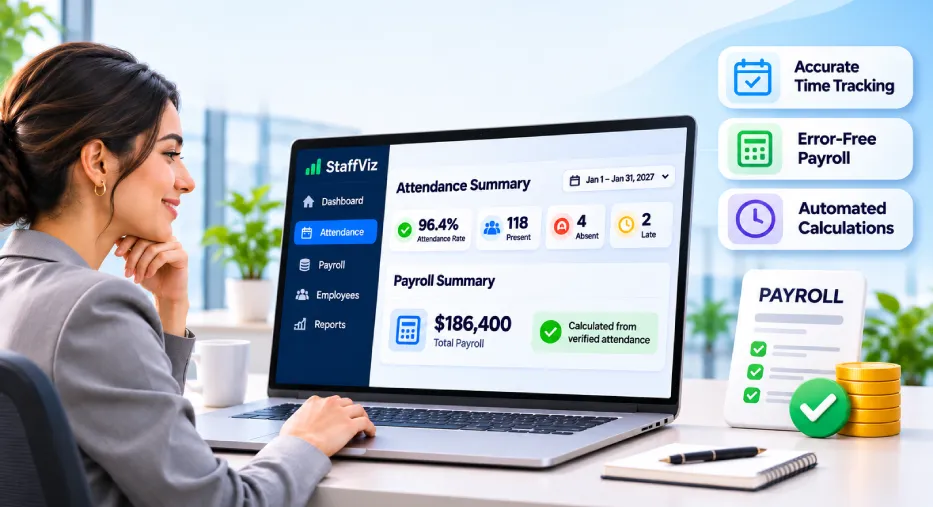
Attendance management software like StaffViz, helps teams catch time record errors earlier. Here are seven ways to improve payroll data.
1. Eliminates Manual Attendance Data Entry
Every manual entry creates a chance for error. Attendance management software records working time in a digital system. HR no longer needs to copy hours from paper sheets or combine several spreadsheets.
Example: An HR administrator copies hours from three department spreadsheets into one file. A typing error changes 8.5 hours to 5.8. The employee spots the mistake a week later, and payroll must issue a correction.
A single digital record removes much of this copy-and-paste work.
2. Creates More Accurate Employee Time Records
Digital time records capture clock-in and clock-out times as they happen. Employees do not need to remember their hours at the end of the week.
This also makes time disputes easier to review. Managers can check the recorded times instead of relying only on memory or estimates.
Want to see what this looks like in practice? With StaffViz time tracking, managers can gain better visibility into employee working time and review activity patterns across their teams.
3. Helps Identify Buddy Punching and Time Theft
Reliable time records help managers spot unusual activity. For example, several employees may have the same clock-in time. A record may also show activity from an unexpected location.
These patterns do not always mean someone has broken a rule. Managers should review them before acting. Still, clear records make it easier to find and address possible time theft.

4. Simplifies Overtime and Working-Hour Calculations
Manual overtime tracking can lead to mistakes. This is more likely when teams have different shifts, roles, or work schedules.
Accurate records give payroll teams a clearer view of regular hours and overtime. Managers can also check the hours during the week. They do not have to wait until payroll cutoff to find extra hours.
For covered, non-exempt US employees, federal law generally requires overtime pay of at least 1.5 times the regular rate for hours worked over 40 in a workweek. Read the Department of Labor's overtime rules.
5. Makes Missed Punches and Attendance Exceptions Easier to Find
An attendance exception report can flag missing clock-ins, clock-outs, and unusual hours. This gives managers time to review problems before payroll starts.
Example: An employee forgets to clock out after a late shift. In a manual process, HR may not find the gap until it reviews timesheets. Someone may then enter an estimated finish time without checking it.
With an exception report, the missing clock-out appears sooner. A manager can confirm the correct time with the employee. The system can then record the change.
This helps fix the problem before it affects payroll.
6. Improves Attendance Approval and Recordkeeping
Managers need to review time records before they reach payroll. Attendance software can help by keeping approval records and tracking changes.
For example, a system may show who changed an entry and when the change took place. This gives managers a clear record to review if an employee questions their hours.
US employers must also follow FLSA recordkeeping rules. The Department of Labor says employers generally need to keep payroll records for three years. Records used to calculate wages, such as timecards and work schedules, must usually be kept for two years. See FLSA recordkeeping requirements.
7. Gives HR More Reliable Data for Payroll Preparation
When time entries are clear, payroll teams have less manual work to do. They can review hours, check exceptions, and confirm approvals before each pay run.
This also helps finance teams review labor hours by team and pay period.
However, attendance software does not prevent every type of payroll error. Teams must still check pay rates, tax deductions, and employee benefit data.
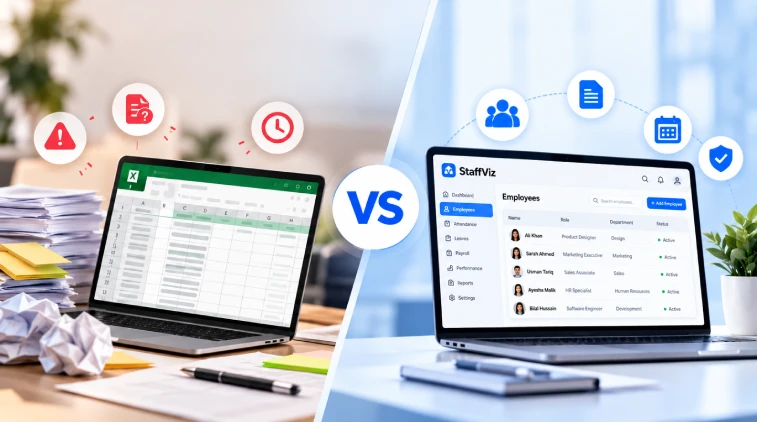
Manual Attendance Tracking vs. Automated Attendance Management Software
Here is how manual and automated tracking compare in daily use.
What to Look for in Attendance Management Software
Not every tool offers the same features. Check these five areas before choosing attendance software.
Automated Employee Time Tracking
Choose a tool that records working time with less manual effort. It should also suit your team, whether employees work in an office, on shifts, or remotely.
Attendance and Timesheet Reporting
Look for reports that show hours by employee, team, and date range. This saves HR from building reports by hand.
Overtime and Break Tracking
Check whether the software records overtime and breaks. Make sure its features support your work schedules and company policies.
Attendance Exception Monitoring
The tool should help you find missing punches and unusual hours. Alerts and exception reports can help managers fix these issues before payroll begins.
Payroll Data Export and Integrations
Some tools export timesheet data. Others connect to selected payroll systems. Many attendance tools do not process payroll themselves.
Check which systems the tool supports. Also confirm the file formats it can export.
Start With Better Attendance Records
Payroll errors often begin with incomplete or incorrect time records. Attendance management software helps reduce these errors. It records working hours, flags missing punches, and keeps a record of changes.
However, accurate time records are only one part of the payroll. Businesses must also check pay rates, tax deductions, and benefits of data.
StaffViz gives managers a clearer view of how their teams spend their working time. This helps HR review work patterns, spot issues, and make better workforce decisions.
Frequently Asked Questions
What is attendance management software?
Attendance management software records when employees start and finish work. It can also track breaks, absences, and late arrivals. HR teams use these records to review working hours and prepare payroll data.
How does attendance management software reduce payroll errors?
It records working hours in a digital system. It can also flag missing punches and unusual hours. This helps HR find and fix time record errors before payroll is prepared.
Can attendance software integrate with payroll systems?
Some tools can connect to payroll systems. Others let users export timesheet data. Features vary by product, so check the supported systems and export options before you buy.
How does StaffViz help managers track employee working time?
StaffViz gives managers visibility into employee working time and activity patterns. This helps them review how teams spend their work hours.
Can StaffViz help manage remote teams?
Yes. StaffViz helps managers monitor work patterns across remote teams. They can review employee activity and get a clearer view of team productivity.
Does StaffViz offer employee time tracking?
Yes. StaffViz includes time tracking features that help managers review employee working time and activity. This gives them useful data for workforce planning and performance reviews.
How does automated attendance tracking prevent time theft?
Digital time records make unusual patterns easier to spot. These may include buddy punching or inflated working hours. Managers can review the records and check whether action is needed.
Can attendance software track overtime hours?
Many attendance tools record the hours used to calculate overtime. Some can also track hours against set limits. The features depend on the software and its settings.
Is attendance management software suitable for remote employees?
Yes. Some tools support teams that work from different locations. They help managers review working hours and time patterns without relying only on manual timesheets.
What is the difference between attendance management and time tracking software?
Attendance management focuses on when employees work. It can show who is present, late, absent, or on leave. Time tracking focuses on the hours employees spend working. Some tools offer both features.
Effectively Manage Remote and Hybrid Teams with StaffViz
Enhance team efficiency and collaboration with StaffViz, the ultimate tool for managing remote and hybrid teams.
Talk To Us

Table of Content
- Why Manual Attendance Tracking Leads to Payroll Errors
- 7 Ways Attendance Management Software Prevents Payroll Errors
- Manual Attendance Tracking vs. Automated Attendance Management Software
- What to Look for in Attendance Management Software
- Start With Better Attendance Records
- Frequently Asked Questions