GPS & Location Tracking for
Workforce Movement

StaffViz helps organizations track employee movement and work activity at specific locations with flexible location-based workflows. From defining tracking scenarios and work areas to managing start and stop actions, customer details, and route visibility, StaffViz gives teams better control over field operations and on-site activities.

START NOW!
Shadow
tracking-icon

Workforce Movement Trackings

Track Employees Across Every Stage of Their Work Journey!

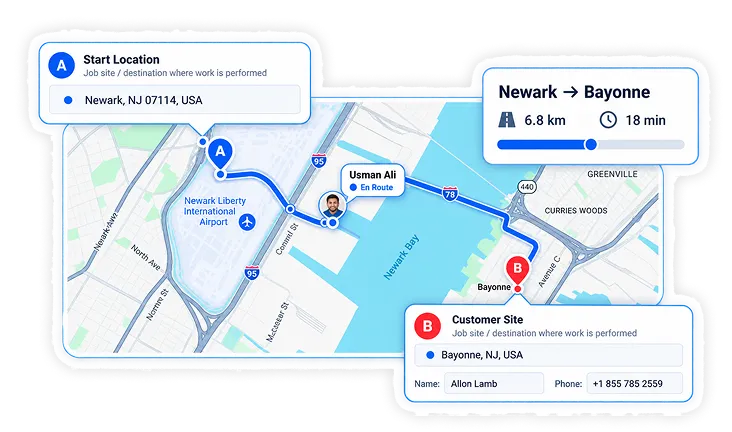
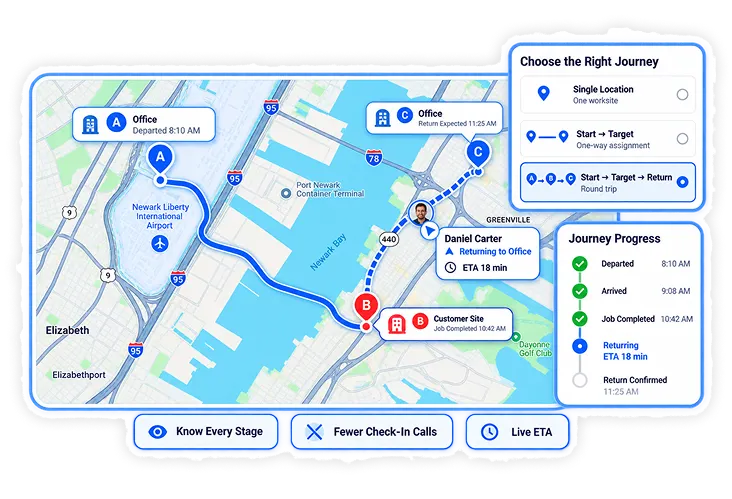
Different jobs require different movement patterns. StaffViz lets you choose the tracking scenario that fits the work, whether an employee visits a single location or moves between multiple locations.

By selecting the business flow first, HR and operations teams can configure only the actions relevant to that workflow and keep location tracking simple and organized.

  1. Single-location tracking
  2. Start-to-target movement tracking
  3. Start-to-target-and-return tracking
  4. Scenario-based Start, Target, and Return actions
  5. Manual or automatic tracking workflows
  6. Location-based workforce activity visibility
VIEW MORE
Img
Img
various-icon

GPS-Based Route Tracking

Define Work Areas & Monitor Movement with Greater Precision!

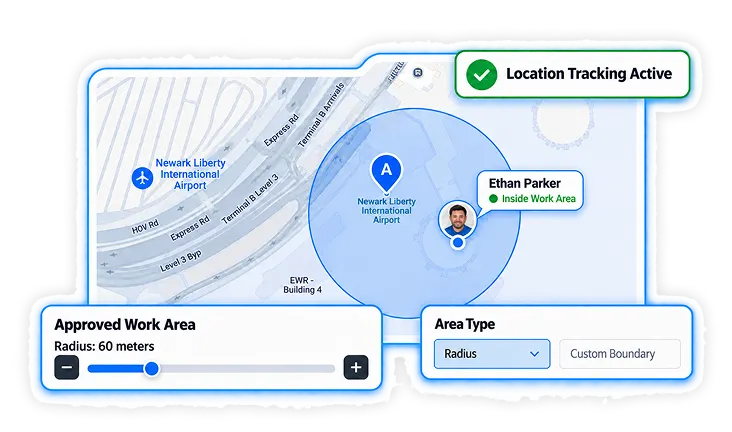
StaffViz allows teams to define the geographical area using GPS where work takes place and determine how employee movement should be tracked. Organizations can use a radius-based area or define a custom boundary based on the worksite.

Route tracking can record movement on the map while allowing timer-based tracking to continue even when route recording is turned off.

  1. Radius-based location areas
  2. Custom geofences or polygon boundaries
  3. Adjustable location radius
  4. Employee movement route tracking
  5. Map and satellite views
  6. Location search and map navigation
  7. Full-screen map view
  8. Timer tracking independent of route tracking
VIEW MORE
assment-icon

Radius-Based Location Tracking

Define the Exact Area Where Work Should Take Place!

StaffViz lets teams define a tracking radius or create a customised geographical area based on the job site. This gives organizations greater control over where location-based tracking applies and allows each work area to be configured according to the nature of the job.

Teams can set the radius directly on the map or customise the area by adding a defined boundary before saving the location setup.

  1. Radius-based location definition
  2. Customised tracking areas
  3. Adjustable location radius
  4. Custom area or boundary selection
  5. Map-based area configuration
  6. Visual location boundary
VIEW MORE
Img
Img
Various Icon

Customer & Site Information

Keep Customer Details Connected to Every Tracked Location!

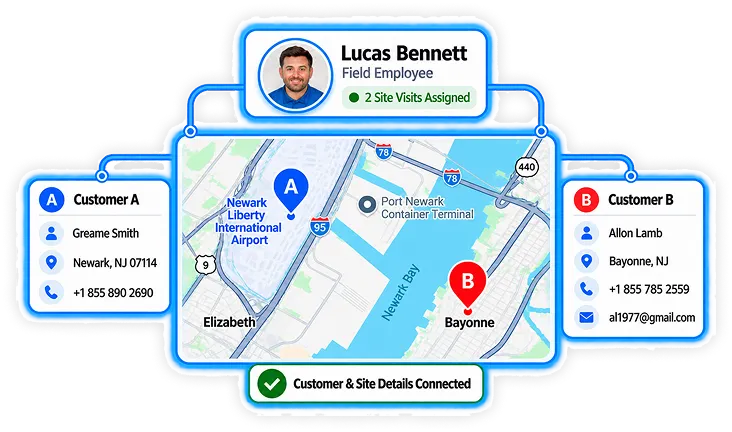
Location tracking becomes more useful when the worksite and customer information are managed together. StaffViz allows teams to associate customer details with a tracked location so field activities have the right business context.

HR & operations teams can maintain essential customer information while configuring how tracking should behave when an employee arrives at or leaves the location.

  1. Customer name
  2. Customer phone number
  3. Customer email
  4. Customer-specific location details
  5. Location-linked customer information
  6. On-entry tracking configuration
  7. On-exit tracking configuration
VIEW MORE
Various Icon

Entry & Exit Tracking

Control What Happens When Employees Arrive and Leave!

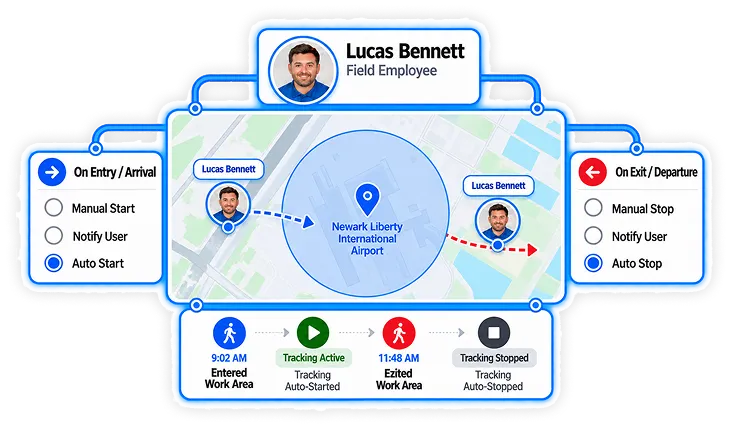
StaffViz gives teams flexible options for handling employee arrival and departure at a defined location. Organizations can choose whether tracking starts or stops manually, automatically, or whether the user should simply be notified.

This helps businesses create location workflows that match how employees actually perform their work in the field.

  1. Tracking with manual start
  2. Tracking with manual stop
  3. Tracking with automatic start
  4. Tracking with automatic stop
  5. Entry/arrival notifications
  6. Exit/departure notifications
  7. Configurable arrival actions
  8. Configurable departure actions
VIEW MORE
Img
Img
Various Icon

Job Completion Evidence Tracking

Capture Proof of Work When Employees Reach the Location!

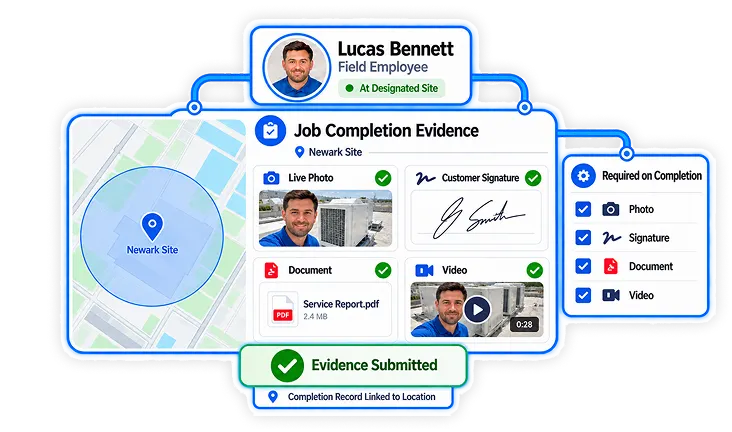
StaffViz allows you to collect job completion evidence when an employee reaches a designated location. Organizations can configure the type of evidence required to document completed fieldwork and keep a record connected to the tracked activity.

Employees can provide proof of completion through pictures, signatures, document uploads, or videos, depending on the requirements of the job.

  1. Picture-based job completion evidence
  2. Digital signature capture
  3. Document upload
  4. Video-based completion evidence
  5. Location-linked completion records
  6. Configurable evidence requirements
VIEW MORE
Vizbot Image
VizBot

Powered by Staffviz